







The JAMB e-Facility is the official online portal created by the Joint Admissions and Matriculation Board (JAMB) to allow candidates manage everything related to admission, UTME, Direct Entry, CAPS, results, profiles, and more. In Nigeria today, no student can successfully complete the admission process without using the JAMB e-Facility. From checking results to accepting admission, from correcting data to printing admission letters, the JAMB e-Facility is the digital backbone of Nigeria’s tertiary education system.
If you are preparing for UTME, Direct Entry, NYSC, or school clearance, this guide will show you everything you must know about the JAMB e-Facility, how it works, how to use it, and how to avoid costly mistakes.
What Is JAMB e-Facility?
The JAMB e-Facility is JAMB’s official online self-service portal where candidates can manage their admission and examination records. It replaced the old cyber-café based system and allows students to personally access their academic data using login credentials.
The JAMB e-Facility is used for:
- UTME registration
- Direct Entry registration
- Checking results
- Admission processing
- CAPS acceptance or rejection
- Data correction
- Printing admission letters
- NYSC verification
- Matriculation list validation
Official website:
👉 https://efacility.jamb.gov.ng
Without the JAMB e-Facility, you cannot complete admission in any Nigerian university, polytechnic, or college of education.
How to Create a JAMB e-Facility Account
To use the JAMB e-Facility, you must first create an account.
Step-by-Step Registration
- Visit 👉 https://efacility.jamb.gov.ng
- Click Create Account
- Enter:
- Valid email address
- Phone number
- Full name
- Create a password
- Verify your email
- Log in to your JAMB e-Facility dashboard
Your email becomes your permanent JAMB ID, so always use an email you control.
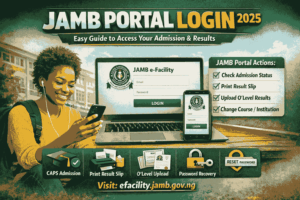
JAMB e-Facility Login Process
To access the JAMB e-Facility:
- Go to 👉 https://efacility.jamb.gov.ng
- Enter:
- Password
- Click Login
Once logged in, you can access UTME results, CAPS, admission letters, and profile information.
Major Services on JAMB e-Facility
The JAMB e-Facility offers several important services.
1. Check UTME & Direct Entry Results
You can check your UTME and Direct Entry results directly from the JAMB e-Facility without using scratch cards.
Steps:
- Log into JAMB e-Facility
- Click Check UTME Result
- View or print
2. JAMB CAPS on e-Facility
The JAMB Central Admission Processing System (CAPS) is inside the JAMB e-Facility.
CAPS allows you to:
- Monitor admission status
- Accept or reject admission
- Track institutions’ decisions
Website:
👉 https://efacility.jamb.gov.ng/CAPS
If you don’t accept your admission on CAPS, the school cannot give you admission.
3. Print JAMB Admission Letter
After accepting admission on CAPS, you must print your admission letter from JAMB e-Facility.
Steps:
- Log in
- Click Print Admission Letter
- Pay ₦1,000
- Download and print
Your admission letter is required for:
- School registration
- Clearance
- NYSC
4. Data Correction on JAMB e-Facility
You can correct:
- Name
- Date of birth
- Gender
- State of origin
- Course
- Institution
Each correction is done through the JAMB e-Facility after payment.
5. Check Matriculation List
The JAMB e-Facility allows students to verify if their admission is recognized.
👉 https://matriculationlist.jamb.gov.ng
If your name is not on the matriculation list, NYSC will not accept you.
6. JAMB e-Facility for NYSC
NYSC uses JAMB e-Facility to verify:
- Institution
- Course
- Admission year
If your JAMB data is wrong, NYSC will reject your mobilization.
How to Use JAMB e-Facility for Admission Tracking
- Log into JAMB e-Facility
- Open CAPS
- Click Admission Status
- Check if:
- Admission offered
- Still pending
- Not admitted
Always check your JAMB e-Facility CAPS daily during admission period.
Common Problems on JAMB e-Facility and Solutions
| Problem | Solution |
|---|---|
| Cannot log in | Reset password |
| Wrong name | Use data correction |
| No admission showing | Wait or contact institution |
| CAPS not loading | Use desktop browser |
| NYSC rejection | Update JAMB data |
JAMB e-Facility vs School Portal
Many candidates think once school gives admission, they are done. That is wrong.
Your admission is not valid until accepted on JAMB e-Facility CAPS.
School portal = internal offer
JAMB e-Facility = legal admission
Always prioritize the JAMB e-Facility.
Why JAMB e-Facility Is So Important
The JAMB e-Facility protects students from:
- Fake admissions
- Wrong data
- NYSC disqualification
- Certificate invalidation
It ensures every student is officially recognized by the Federal Government.
Security Tips for JAMB e-Facility Users
- Never share login details
- Use personal email
- Avoid cyber-cafés
- Change password regularly
- Keep admission letter safe
Frequently Asked Questions People Search About JAMB e-Facility
Is JAMB e-Facility free?
Registration is free, but some services like printing admission letter and corrections require payment.
Can I use JAMB e-Facility without UTME?
Yes. Direct Entry candidates also use JAMB e-Facility.
Can I access JAMB e-Facility on phone?
Yes, but CAPS works best on desktop browsers.
Conclusion
The JAMB e-Facility is the most important digital tool for every Nigerian student seeking higher education. From UTME registration to NYSC mobilization, the JAMB e-Facility controls your academic future. Knowing how to use the JAMB e-Facility properly protects you from admission fraud, data errors, and disqualification.
If you are serious about gaining admission, always log into your JAMB e-Facility, monitor CAPS, correct your data, and print your admission letter early.
Also Read: JAMB Portal Login: The Complete, Step-by-Step Guide to Using the JAMB
FAQs
1. Can I change my course using JAMB e-Facility?
Yes, through the data correction section.
2. How many times can I accept admission on CAPS?
You can accept only once on JAMB e-Facility CAPS.
3. Is JAMB e-Facility required for NYSC?
Yes, NYSC verifies all graduates through JAMB e-Facility.










+ There are no comments
Add yours